How to share a call with someone not on Airspeed (eg a prospect)
Last updated: May 20, 2026
You can share a call from Airspeed with someone who isn’t on Airspeed, for example your prospect or a colleague.
Navigate to the call on Airspeed and select “Share” in the top right corner:
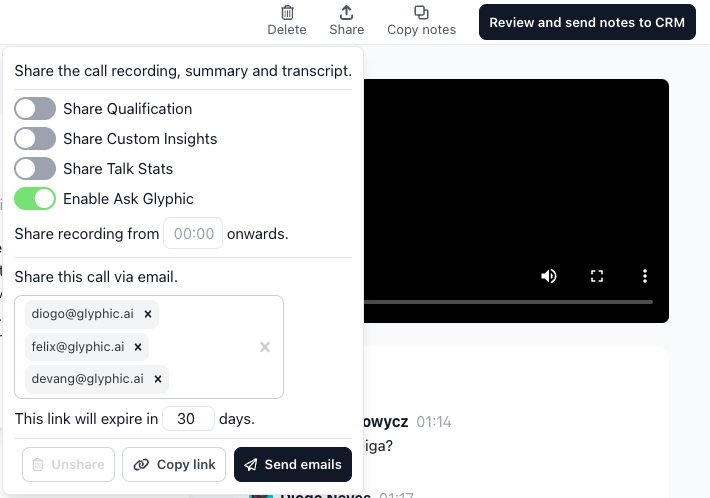
You can then specify:
a timestamp to start from (note that the recipient will still have access to the whole call; this only “skips” ahead in the recording),
which parts of the summary you want to share. Recording, summary, and transcript are always shared. You can additional enable the AskAirspeed feature, include custom insights, etc. by using the toggles in the screen.
You can either share the call via email or use the “Copy link” feature to generate a unique share code.
For security reasons, you always need to set an expiration date.