Gong Integration
Last updated: May 20, 2026
Instead of using Airspeed’s native call recording functionality, you can connect Gong to Airspeed. In this case, Airspeed will pull call recordings from Gong as soon as they are available and process them in Airspeed.
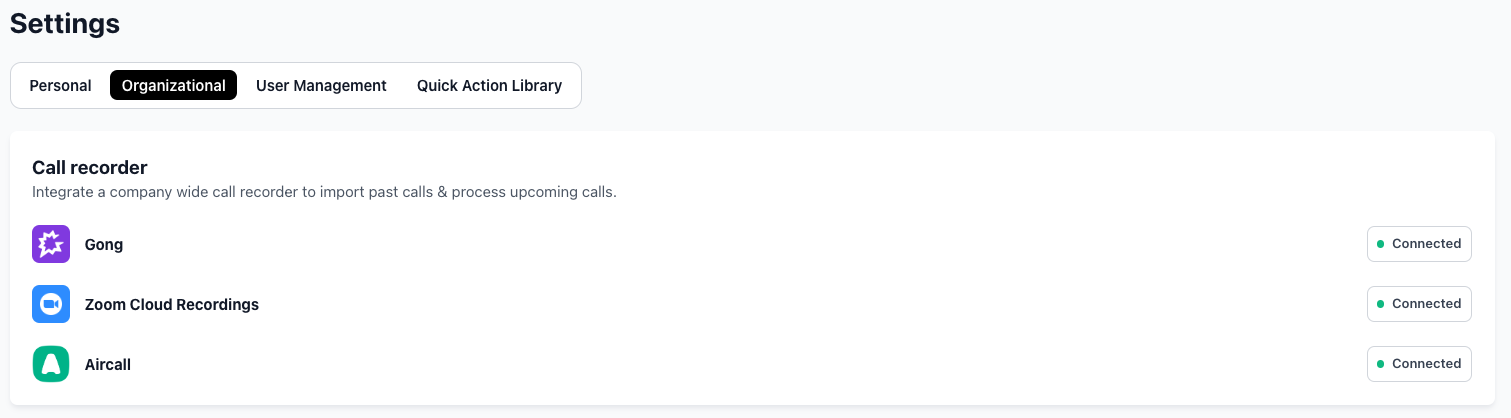
In order to enable the Gong integration, go to Settings → Organizational → Call recorder. Click on Gong - Connect and follow the prompts:
Airspeed's Gong integration is read-only. We connect via OAuth 2.0 ("Sales Copilot by Airspeed" app) and access only:
(1) user list (to match users),
(2) call metadata and recordings (audio/video),
(3) call transcripts.
Airspeed never writes, modifies, or deletes any data in Gong. The connection can be revoked at any time from either Airspeed settings or Gong's integrations page, and Gong assigns region-specific API endpoints for data residency.