Ask Glyphic
Last updated: April 1, 2026
Ask Glyphic is Glyphic's AI assistant, available on every page in the app. You can ask it questions about a specific call, a company or deal, or your entire dataset — and it will respond using the data Glyphic has on file.
Opening Ask Glyphic
The Ask Glyphic bar sits at the bottom of every page. Click it, or press Cmd+J (Mac) / Ctrl+J (Windows), to open the full conversation window.

Ask Glyphic is always accessible from the bottom of the screen.
Context levels
Ask Glyphic adjusts its scope based on where you are in the app:
Call level — on a call page, Ask Glyphic has access to that call's transcript, participants, and metadata. Ideal for questions like "What objections came up?" or "Draft a follow-up email."
Company level — on a company or deal page, Ask Glyphic draws on all calls, emails, and activity for that account. If a deal is selected, it scopes further to that deal. Ideal for questions like "What are the main risks to this deal?" or "Summarise our relationship with this company."
Global — available from any page, with access to your entire organisation's data. Use this for cross-account questions like "Which accounts mentioned a competitor this quarter?" or "What are the most common objections across my pipeline?"
You can switch context using the icon on the left of the input bar.
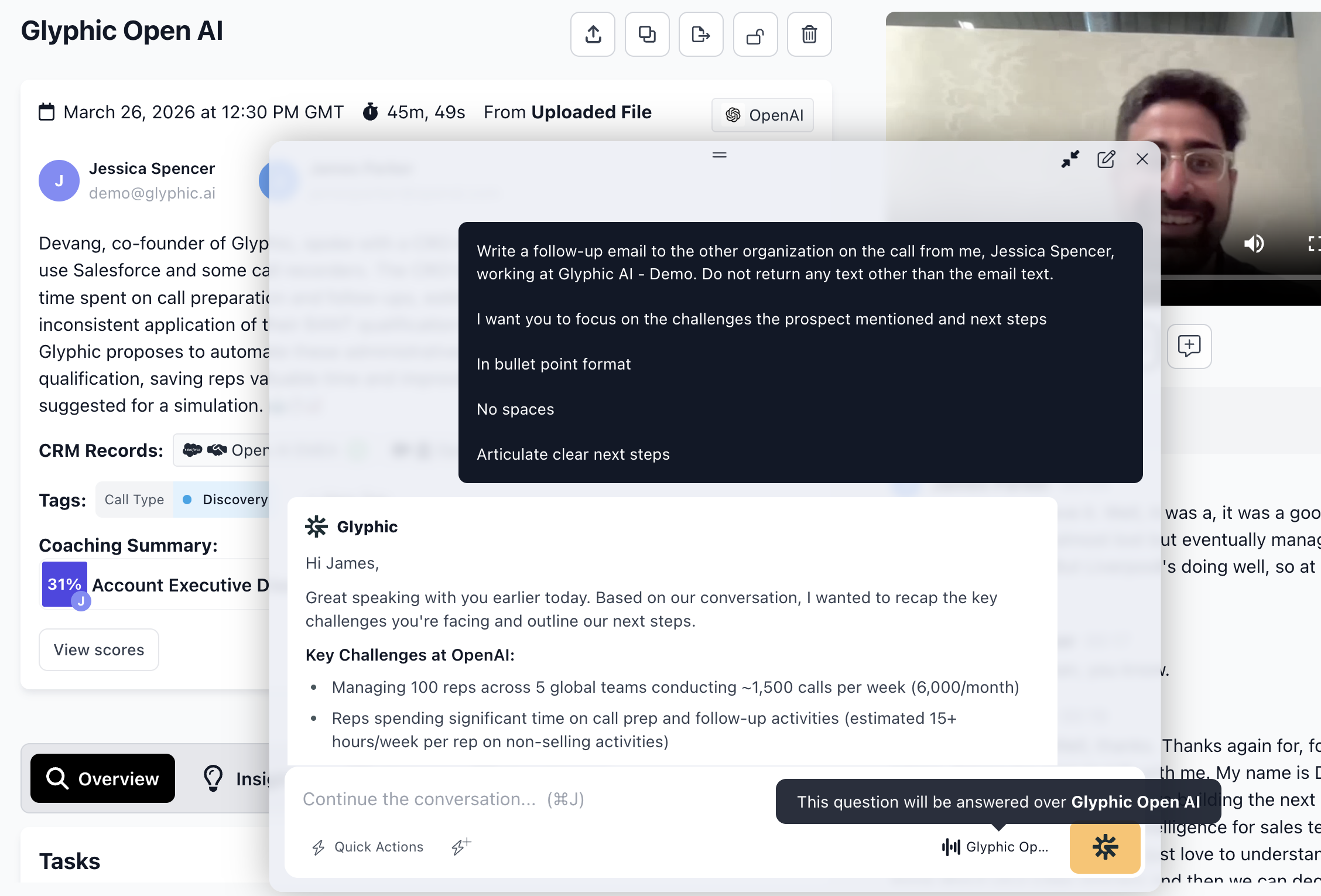
Ask Glyphic maintains a full conversation history, organised by call, company, or global context.
Conversation history
Ask Glyphic keeps a record of all your past conversations. Click the clock icon to browse previous threads, organised by today, yesterday, and earlier. You can resume any past conversation from where you left off.
Quick Actions
Quick Actions are saved prompts you can run with a single click — for example, "Generate follow-up email" or "List competing solutions mentioned." Click the lightning bolt (⚡) icon to see your available Quick Actions for the current context. See the Quick Actions article for more detail on creating and managing them.
Tips
Be specific about what you want — "Draft a two-paragraph follow-up email covering the pricing question and next steps" will give a better result than "Write an email."
You can ask follow-up questions in the same thread — Ask Glyphic maintains context across the conversation.
Use the global context for pipeline-wide analysis, and call or company context for account-specific questions.
For inspiration on what to ask, see Our Favourite Ask Glyphic Prompts in the Best Practices collection.